Local Focus Widget 01
A downloadable tool for Windows
Local Focus Widget 01
Koma Drawer · $7
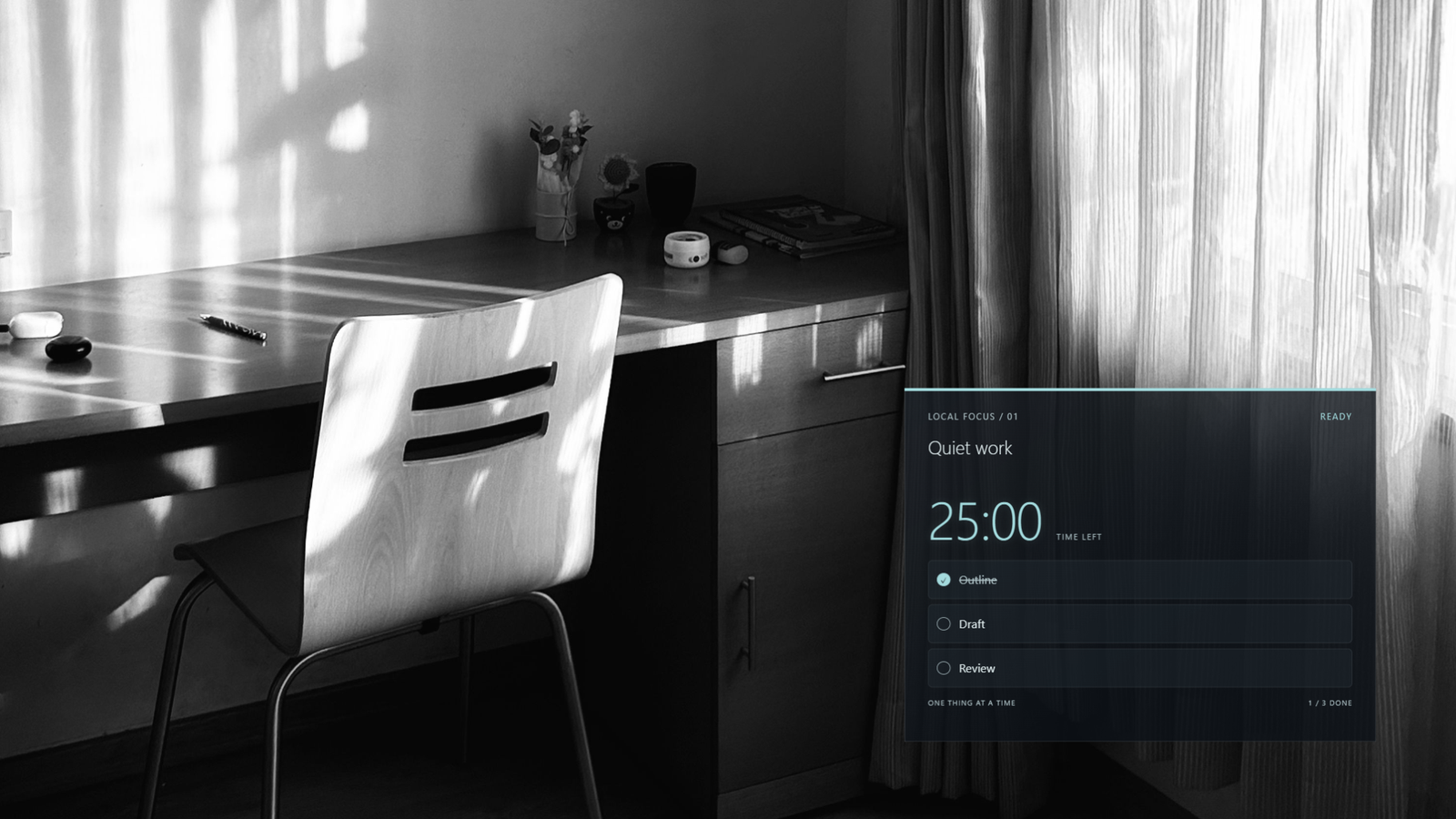
One work title. One timer. Three tasks.
A compact focus overlay for OBS streams and recordings. Keep your current work visible, tick off tasks and run a countdown using OBS Interact. The controls sit below the display and are cropped out of your scene.
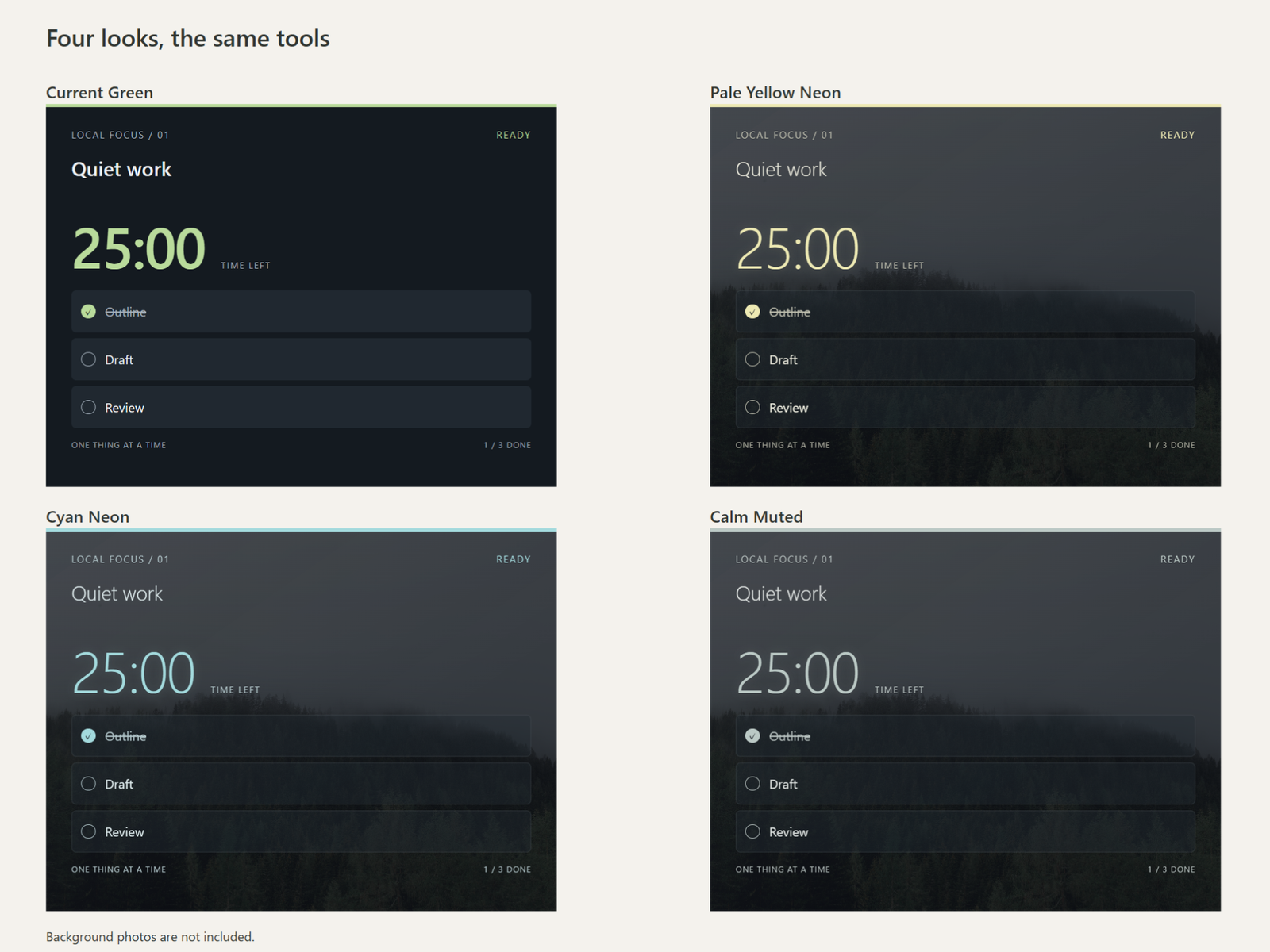
Four looks, the same tools
- Current Green: calm pale green on an opaque panel.
- Pale Yellow Neon: soft yellow for a quiet night.
- Cyan Neon: cool, clear and urban.
- Calm Muted: the most restrained, low-saturation color.
The three newer styles use a translucent smoke background. Choose a style when adding the source; all four include the same title, three task checkboxes, timer and saved settings. Start, pause, resume or reset a countdown from 1 second to 180 minutes.
What you get
Four sets of local HTML/CSS/JavaScript files, an illustrated QUICKSTART with Japanese OBS menu guidance, a README and usage terms. No product account, server or extra OBS plugin is needed.
Extract the ZIP, select your chosen style’s index.html as a local Browser Source, set 640 × 960, and crop 480 pixels from the bottom. QUICKSTART covers the shared setup.
Before you buy
- Tested setup: Windows 11 / OBS Studio 32.2.2. Other systems and OBS versions have not been verified.
- For Japanese text, compose it in another app and paste with Ctrl+V in OBS Interact. Direct Japanese IME input and right-click paste were unavailable in the tested environment.
- Reloading or restarting OBS restores the title, tasks and chosen duration with the timer stopped at its full duration. Remaining time is not saved. Keep the same source and file path; settings transfer between variants or browsers is not promised.
- Titles allow 60 UTF-16 units; tasks allow 80 each. Display text is limited to two lines. Some emoji use more than one unit.
- Works offline. Sleep continuity and precise long-duration timing are not guaranteed. No sound alerts, automatic break cycles, in-widget theme switcher or multi-device synchronization.
Usage terms
Use and modify the widget for commercial or non-commercial streams and recorded works, and distribute its rendered output within those works. Do not redistribute or resell the source files as standalone assets, including modified versions, or publish them in public repositories. Source sharing is limited to necessary collaborators on the same project; other projects need their own legitimate copies. Credit is optional. Full terms are included in LICENSE.md.
AI assisted with code and documentation.
Support: kheneworks@gmail.com — written replies on weekends in Japan time. No calls, individual setup service or custom production.
Purchase
In order to download this tool you must purchase it at or above the minimum price of $7 USD. You will get access to the following files:
Development log
Leave a comment
Log in with itch.io to leave a comment.