Now Drawing Queue 01
A downloadable tool for Windows
Now Drawing Queue 01
Koma Drawer · minimum US$5
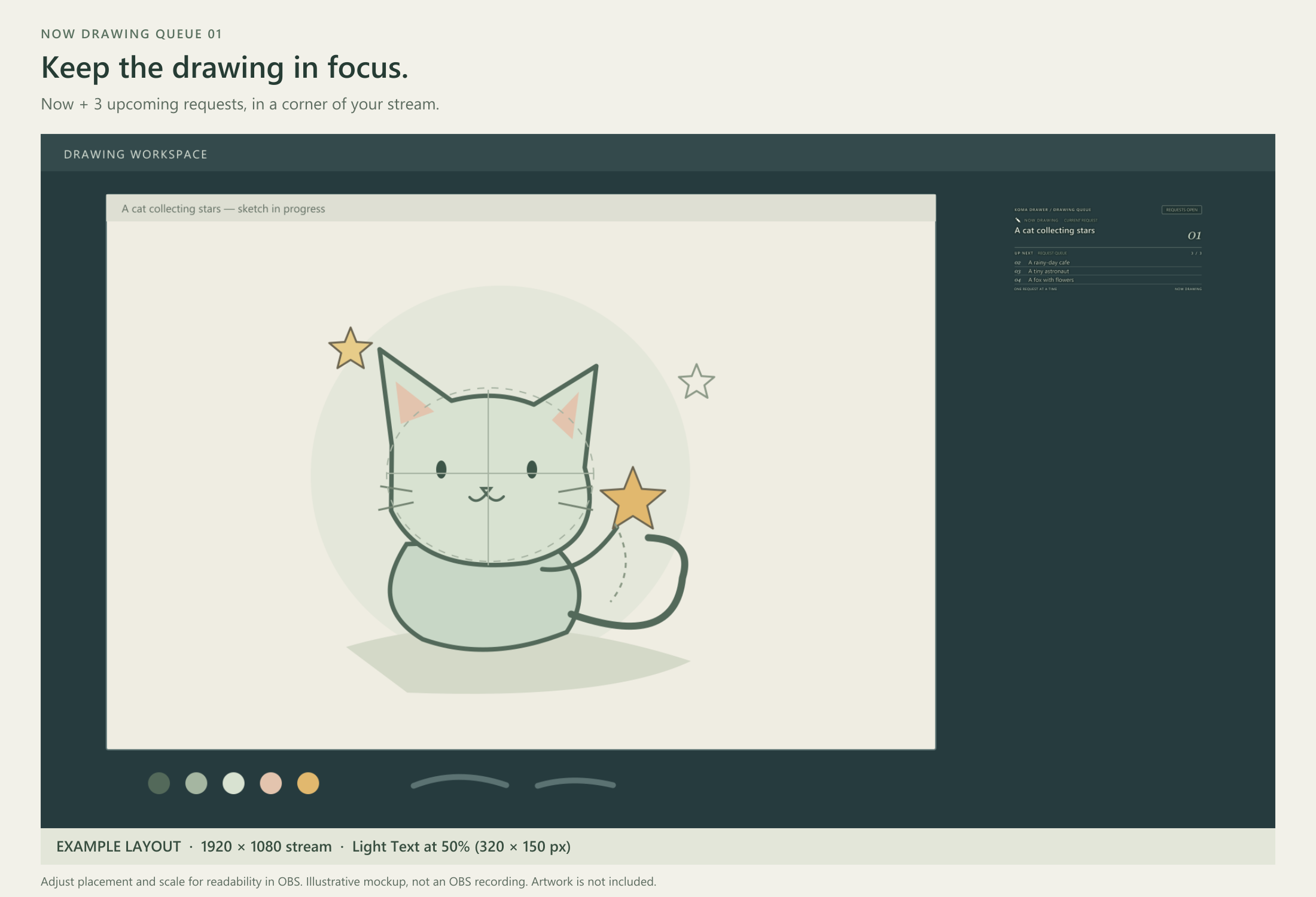
Show what you are drawing now—and the next three requests.
A small manual queue board for drawing streams and recordings. Enter your chosen requests, move to the next one, undo the last move once, and show whether requests are open, closed or on break. The controls stay below the stream display and are cropped out in OBS.
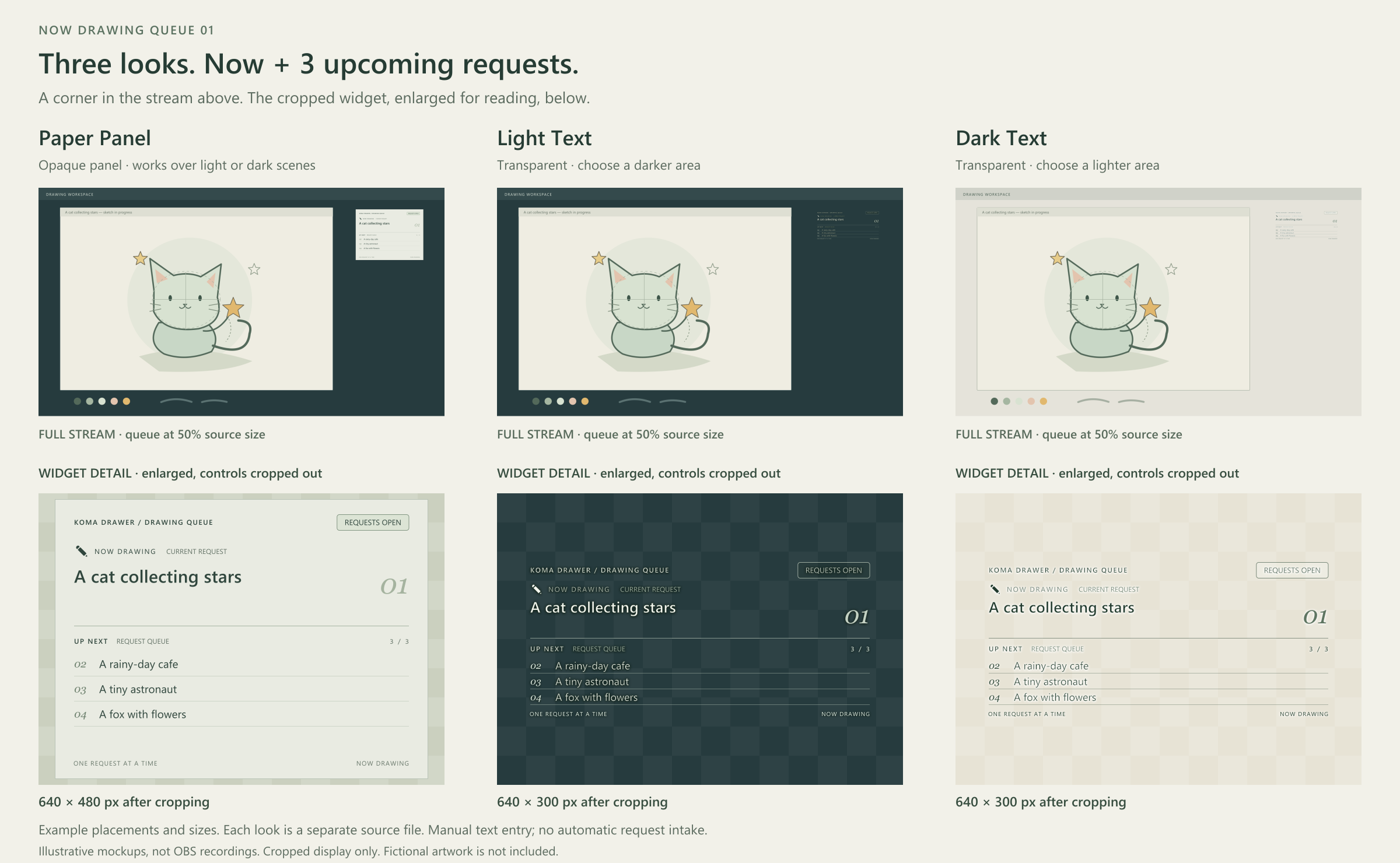
Three looks, the same board
- Paper Panel: an opaque paper-colored panel with dark green text, output 640 × 480.
- Light Text: transparent background with light text, output 640 × 300; best on darker backgrounds.
- Dark Text: transparent background with dark text, output 640 × 300; best on lighter backgrounds.
Thin edges and shadows help the transparent looks, but busy backgrounds or small scaling can reduce readability. Choose the source file when setting up OBS; the widget has no theme switcher.
Included
Three local HTML/CSS/JavaScript variants, illustrated English/Japanese QUICKSTART, README and usage terms. No product account, server or extra OBS plugin is needed. Stream labels are English; controls and instructions are bilingual. Japanese request text is kept as entered. All sample requests are fictional.
Before you buy
- Checked setup: Windows 11 / OBS Studio 33.0.1. The owner tried all three looks without apparent issues; OBS previews, control cropping and bilingual controls were confirmed. Other systems/OBS versions are unverified. Separate final-OBS results for image-background compositing, reload persistence and long inputs are not recorded.
- Extract the ZIP before use. Add a local Browser Source: Paper 640 × 960; Light/Dark Text 640 × 780. For every look crop bottom 480 pixels; top/left/right 0. The controls appear in the output until correctly cropped.
- Operate through Interact on that same OBS source. An ordinary browser is not an OBS remote control. Other sources/styles/devices do not synchronize; each look has separate local settings. Keep the same source and file path; prototype saves do not migrate.
- In OBS Interact, compose Japanese in another application, then copy and press Ctrl+V. Direct IME input and right-click paste had limitations in the previously tested environment.
- Each request allows 80 UTF-16 units; some emoji use more than one. Current text shows up to two lines; next requests show one line with long ends hidden. The full text remains in the controls.
- Four request texts and status save locally and restore in the same storage context. Undo history is not saved. Editing a request clears Undo. Changing status keeps Undo and status is not rolled back by Undo. NOT SAVED means session-only changes; copy your text before closing. Unreadable storage falls back to fictional samples.
- A manual display only: no real request intake, payments, customer database or chat/API integration. No timer or sound. Status buttons only change the label and do not process real requests.
Usage terms
Use and modify the widget for commercial or non-commercial streams and recorded works, and distribute its rendered output within those works. Do not redistribute or resell source files as standalone assets, including modified versions, or publish them in public repositories. Source sharing is limited to necessary collaborators on the same project; other projects need their own legitimate copies. Credit is optional. Full terms are in LICENSE.md.
AI assisted with code and documentation. The images are UI illustrations on fictional backgrounds, not OBS recordings; background images are not included as assets.
Support: kheneworks@gmail.com — written replies on weekends in Japan time. No calls, individual setup service or custom production.
Purchase
In order to download this tool you must purchase it at or above the minimum price of $5 USD. You will get access to the following files:
Leave a comment
Log in with itch.io to leave a comment.